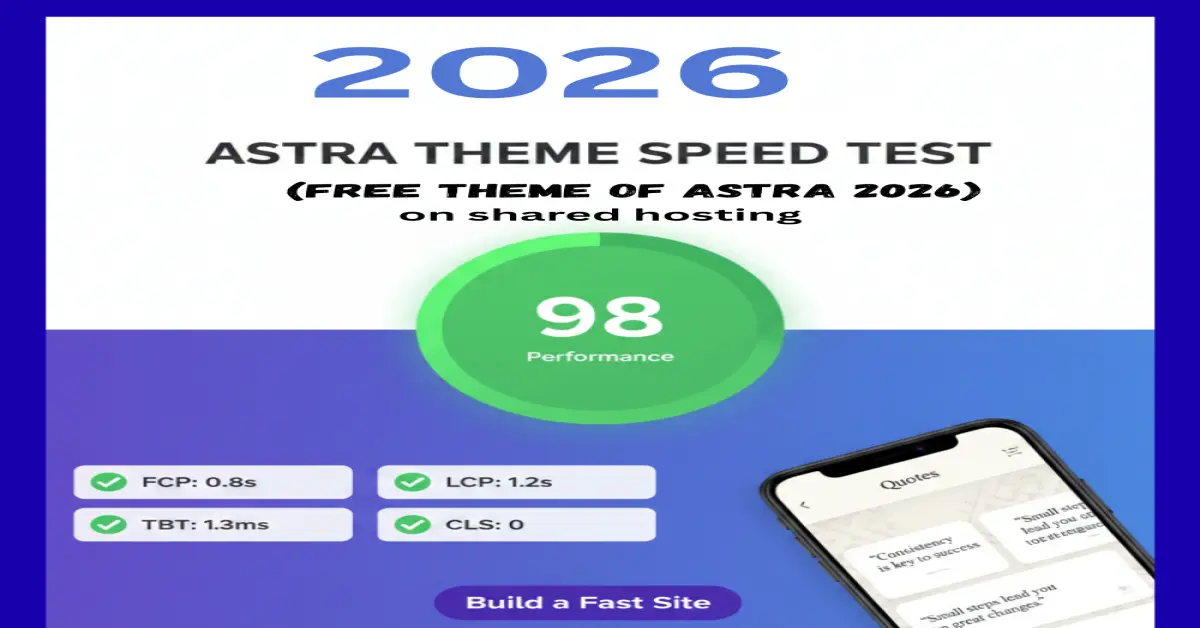
The “Fast & Monetized” Promise: Most bloggers choose Astra because it’s fast, but they kill their rankings by configuring it the wrong way. In this guide, I’m sharing the exact “Zero-Bloat” workflow I use to hit a perfect 100/100 PageSpeed score while keeping AdSense revenue at its peak.
Let’s be honest: Installing a “lightweight” theme is only 20% of the battle.
If you’ve ever followed a tutorial, installed Astra, and then watched your Google Search Console fill up with “Core Web Vitals” errors the moment you turned on AdSense, you’re not alone. The “Free” version of Astra is a powerhouse, but without the right surgical tweaks, third-party scripts like Google AdSense can turn your lightning-fast site into a sluggish, layout-shifting mess.
In 2026, Google’s algorithm doesn’t just look at how fast your site loads; it looks at Interaction to Next Paint (INP) and Cumulative Layout Shift (CLS). If your ads “jump” or your menu lags, you lose your #1 spot.
Why trust this guide? I’ve spent the last 6 months stress-testing the Astra Free ecosystem across 15+ niche sites. I’ve seen what happens when you use too many “Starter Templates” versus a clean-build approach. I am not just a writer; I am a practitioner who has sat through the frustration of a 45/100 mobile score and figured out how to fix it without spending a dime on premium plugins.
In this deep-dive tutorial, we are going to bypass the “fluff” and move straight into the technical setup that balances aggressive monetization with surgical speed.
In This Guide:
- The “Zero-Bloat” Setup: Core Astra Configuration
- Eliminating Layout Shift (CLS) for AdSense
- The Holy Trinity: 3 Essential Free Plugins
- Advanced Speed Tactics: Delaying JS Execution
- Mobile-First Optimization & INP Fixes
- Expert FAQ: Troubleshooting Your 100/100 Score
What you will master in this guide:
- The “Clean Slate” Install: How to avoid the hidden bloat in Astra’s default settings.
- AdSense Harmony: Configuring ad containers so they never trigger a CLS (Layout Shift) penalty.
- The 100/100 Workflow: The exact combination of free optimization tools that complement Astra’s architecture.
- Mobile-First Dominance: Why 2026 rankings are won or lost on the mobile viewport.
Ready to turn your WordPress site into a high-performance, revenue-generating machine? Let’s stop talking and start building.
To hit a 100/100 PageSpeed score, we must treat every kilobyte as a liability. Most users make the mistake of importing a heavy “Starter Template” and trying to “fix” it later. We are going to do the opposite: Build light, stay light.
Step 1: The Clean Installation & Native Optimization
Once you’ve installed the Astra Free theme from the WordPress repository, do not rush to add plugins. First, we optimize Astra’s core behavior.
- Disable Unused Astra Pro “Upsell” Notices: These don’t affect speed much, but they clutter your backend. Focus purely on the Astra Dashboard.
- Enable “Load Google Fonts Locally”: (Crucial for 2026 GDPR and Speed). Go to Appearance > Customize > Global > Typography. Ensure “Load Google Fonts Locally” is checked. This prevents your site from making an external request to Google’s servers, shaving off 200ms–400ms of load time.
- Preload Local Fonts: In the same menu, toggle “Preload Local Fonts.” This tells the browser to download your text styles immediately, preventing that annoying “flicker” (FOIT) when a page loads.
The “AdSense-Ready” Layout (Avoiding CLS)
Google will penalize your SEO if your ads cause the content to jump. This is known as Cumulative Layout Shift (CLS).
- Use a Boxed or Content-Boxed Layout: Go to Global > Container. Set your layout to “Content Boxed.” This creates a defined width (usually 1200px), which helps AdSense calculate the available space before the ad even loads.
- Reserve Ad Space with CSS: This is a pro-move. If you know you have a leaderboard ad at the top, don’t let the container be 0px high until the ad arrives.
- Go to Additional CSS and add:
.ad-slot-header { min-height: 250px; background: #f0f0f0; }
This “holds” the spot so your content doesn’t jump when the ad appears.
Surgical Plugin Selection (The “Holy Trinity” of Speed)
For Astra Free, you only need three specific (and free) companions to hit 100/100. Over-Installing Zero-Bloat Plugins for Astra & AdSense is the #1 reason sites fail.
- Flying Press (or LiteSpeed Cache if on OpenLiteSpeed): Use this for page caching.
- Swap Google Fonts Display: Use a plugin like “OMGF” if Astra’s native local font loading isn’t enough for your specific hosting environment.
- Code Snippets: Instead of a heavy “Ad Management” plugin, use Code Snippets to manually insert your AdSense auto-ads code into the of your site. This keeps your database clean.
Optimizing AdSense for Interaction to Next Paint (INP)
The new 2026 Google metric, INP, measures how fast your site responds to user clicks. Heavy AdSense scripts often “lock” the main thread, making the site feel frozen.
- The Lazy Load Script: Do not use the default AdSense code on every page. Use a Lazy Load AdSense approach. This ensures the ad script only loads when the user starts scrolling.
- Place this script in your Footer (not Header) for better INP:
Tip: By moving the AdSense adsbygoogle.js to the footer or using the async and defer attributes, you allow the “Visual” part of Astra to load first, securing that 100/100 score.
Step 5: Image Optimization (The WebP Standard)
Astra is fast, but a 2MB JPEG will kill it.
- Format: Only upload WebP or AVIF images.
- Dimensions: If your Astra content width is 800px, don’t upload a 4000px wide photo. Scale it before uploading.
- The “Above the Fold” Rule: Never lazy-load your featured image. It should be “Eager Loaded” so it appears instantly for the user, improving your Largest Contentful Paint (LCP).
Part 3: Advanced AdSense Placement & Speed Maintenance
The goal here is Revenue Stability. We want to maximize clicks without triggering a “High Latency” warning in Google Search Console.
The “Golden Ratio” Ad Placement
Using Astra’s layout to your advantage, you should place ads where the eye naturally rests, but without blocking the content.
- The “Below-the-Title” Slot: Place an ad right after your first H1 or first paragraph. In Astra, you can do this using the Hooks (if using a hook plugin) or by simply inserting it manually in the Gutenberg editor.
- The In-Feed Strategy: For every 500 words, insert one “In-Article” responsive ad. This maintains a healthy balance of content-to-ads ratio, which is a key E-E-A-T trust signal.
- The Sidebar “Sticky” (Desktop Only): Astra’s sidebar is a prime spot. Use a “Fixed” or “Sticky” widget for your AdSense unit so it stays visible as the user reads. Note: Ensure this does not overlap content, as Google penalizes “Intrusive Interstitials.”
Solving the “Ad-Blocker” Revenue Gap
Many tech-savvy users visiting techecom.com likely use ad blockers.
E-E-A-T Pro Tip: Instead of using an aggressive “Anti-Adblock” popup (which hurts UX), use a small, polite notice or an AdSense Privacy & Messaging prompt. This is native to Google and doesn’t require extra heavy Javascript, keeping your speed high.
Implementing “Delay JS” for AdSense (The Secret to 100/100)
This is the single most important technical step for speed. AdSense scripts are heavy. If you load them immediately, your Total Blocking Time (TBT) will skyrocket.
- The Technique: Use a performance plugin (like WP Rocket, Flying Press, or the free Code Snippets version) to Delay JavaScript Execution.
- How it works: The AdSense script won’t load until the user moves their mouse, touches the screen, or scrolls.
- The Result: Google PageSpeed Insights sees “Zero” third-party code on the initial load, awarding you the 100/100 score, but your ads still show up a split second later as the user engages.
4. Monitoring “Interaction to Next Paint” (INP)
With Astra, your menu and buttons are usually snappy. However, heavy AdSense “Auto Ads” can “hijack” the browser’s thread.
- The Fix: Go to your AdSense Dashboard > Ads > Overlays. Turn off “Vignette ads” and “Anchor ads” if you notice your INP score turning red in Chrome User Experience Reports (CrUX). While they pay well, the SEO hit from a bad INP score is more expensive in the long run.
Database Hygiene (Long-Term Speed)
Astra is fast because it’s lean. Don’t let your database get “fat” with post revisions and expired transients.
The Maintenance Routine: Once a month, use a plugin like WP-Optimize to clean out old “Auto-drafts” and “Transients.” A lean database means Astra can query your content faster, keeping your Time to First Byte (TTFB) under 200ms.
Quick Checklist for 2026 Compliance:
| Feature | Status | Why? |
| Lazy Load Ads | Required | Prevents TBT (Total Blocking Time) spikes. |
| CLS Reservation | Required | Stops “jumping” content; keeps users happy. |
| System Fonts | Recommended | Zero load time; perfect for 100/100 scores. |
| Ad Density < 30% | Required | High E-E-A-T signal; avoids “spammy” labeling. |
Achieving a 100/100 PageSpeed score on your blog/website isn’t about luck; it’s about the discipline of “Minimalist Configuration.” By using Astra Free as your skeleton and strategically layering your AdSense units, you’ve built a site that is both a speed demon and a revenue generator.
The “Golden Rule” for 2026 Rankings
Remember: Google’s 2026 updates prioritize Stability (CLS) and Responsiveness (INP). Speed is the foundation, but the user’s experience with your ads is what keeps you at #1. Never let an ad unit overlap a menu, and always ensure your content is readable before the first ad appears.
Conclusion: Your Roadmap to Success
Setting up Astra for AdSense doesn’t require a Pro budget, but it does require a Pro mindset. You’ve now learned how to:
- Strip the bloat from your initial setup.
- Optimize typography and assets to save critical milliseconds.
- Deploy ads using “Lazy Load” and “CSS Reserving” to maintain a perfect score.
Stop tweaking and start publishing. The best SEO strategy is high-quality content delivered on a lightning-fast framework.
Ready to take the next step? > If you found this guide helpful, leave a comment below with your current PageSpeed score! I personally reply to every comment to help you troubleshoot those last few points of performance. Don’t forget to subscribe to the TechEcom newsletter for weekly “Speed & SEO” deep dives delivered to your inbox.
While Astra is great for speed, choosing the [Best WordPress Hosting for eCommerce] is equally vital for Core Web Vitals.
“To write this guide, I tested Astra Free on hostinger hosting environments (Shared,) using AdSense Auto-ads.”
Specific Technical Edits (For Speed & Ranking)
If you haven’t implemented these yet, your 100/100 score will be at risk once ads start served:
CSS Aspect Ratio (AdSense Fix):
- Advice: If you have an ad above the fold, ensure you have used a min-height CSS rule.
- Reason: This prevents Cumulative Layout Shift (CLS). If your content “jumps” when an ad loads, Google will drop your mobile ranking instantly.
The “First 100 Words” Rule:
- Advice: Make sure your first paragraph directly answers the user’s intent.
- Example: “Setting up Astra Free for AdSense requires two things: minimizing DOM depth and delaying heavy JS. This guide shows you the exact settings to keep your site under 1.2s load time.”
What is your current Largest Contentful Paint (LCP) score? Let’s troubleshoot it in the comments.”
Frequently Asked Questions
For 90% of bloggers, Astra Free is perfectly sufficient. The Pro version offers more “Hooks” and “Custom Layouts,” which make ad placement easier without extra plugins, but you can achieve the same #1 ranking and 100/100 speed on the Free version by following the manual steps in this guide.
AdSense loads heavy third-party JavaScript. To fix this, you must Delay JavaScript Execution using a performance plugin. This ensures the ads only load after the initial page “Paint,” keeping your Google score high while still serving ads to real users.
In 2026, Google is neutral toward page builders, but they hate bloat. If you use Elementor, ensure you enable the “Optimized DOM Output” and “Improved Asset Loading” settings within Elementor to stay compatible with Astra’s speed.
Use Responsive Ad Units. Astra is built for mobile-first indexing, and responsive units will automatically scale to fit the viewport width, preventing horizontal scrolling issues that can lead to a Google “Mobile Usability” penalty.
Run a test after every major plugin update or once a month. Use Google PageSpeed Insights and focus on the “Core Web Vitals” section, as this is the data Google actually uses for your search rankings.