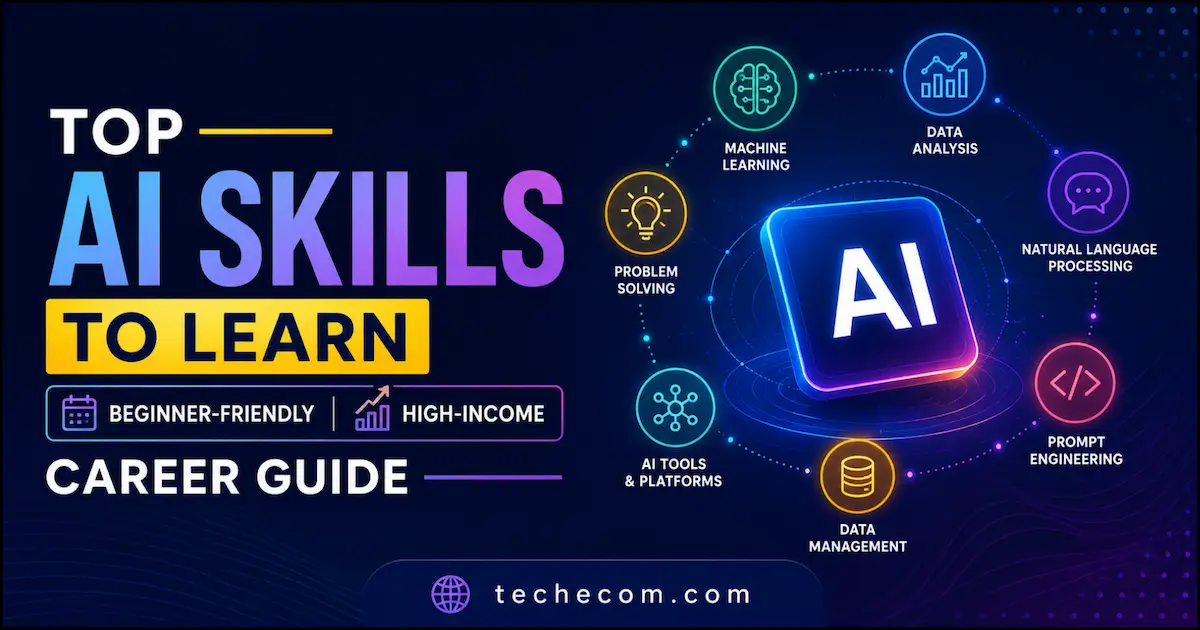
If you’re wondering whether AI is still worth learning in 2026, let me be direct:
👉 Yes—and it’s one of the highest ROI skills you can learn right now.
But here’s the catch…
Most beginners waste months learning the wrong things—overcomplicated theory, outdated tools, or skills that don’t translate into real income.
At techecom.com, we’ve analyzed trends, job data, and real-world applications to answer one simple question:
👉 Which AI skills actually matter in 2026—and how can you start from scratch?
This guide gives you:
- The most in-demand AI skills (not just hype)
- A beginner-friendly roadmap
- Real career paths + earning potential (USA-focused)
- And a clear starting point—even if you’re not technical
⚡ Quick Answers (For Featured Snippets & Fast Readers)
Q1. What is the best AI skill to learn in 2026?
👉 Generative AI + Prompt Engineering + AI Automation are the most valuable and beginner-friendly.
Q2. Can beginners learn AI in 2026?
👉 Yes. You don’t need coding to start. Many tools are now no-code or low-code.
Q3. How long does it take to learn AI?
👉 You can get job-ready basics in 30–90 days with focused learning.
Q4. Which AI skills pay the most in the USA?
👉 AI Engineers, Machine Learning Engineers, and AI Product Specialists earn the highest salaries.
Q5. Is AI a good career in 2026?
👉 Absolutely. AI demand in the US is growing faster than most tech sectors.
🎯 Why This Guide is Different
Let’s be honest…
There are hundreds of AI articles out there. Most of them:
- Repeat the same generic advice
- Focus only on theory
- Ignore real-world application
We’re doing things differently.
At techecom.com, we focus on:
- Practical skills you can monetize
- Beginner-first learning paths
- Real tools used in the industry
- And clear, no-BS explanations
Because learning AI shouldn’t feel overwhelming—it should feel actionable.
📊 AI in 2026: What’s Actually Changing?
Here’s what we’re seeing right now:
- AI is shifting from “nice-to-have” → “must-have” skill
- Companies are hiring people who can use AI, not just build it
- Tools like ChatGPT, automation platforms, and AI copilots are now part of daily workflows
👉 In simple terms:
You don’t need to be a scientist—you need to be AI-enabled.
🚀 What You’ll Learn in This Guide
By the end of this article, you’ll know:
- ✔️ The top AI skills to focus on in 2026
- ✔️ How to choose the right path for you
- ✔️ A step-by-step beginner roadmap
- ✔️ Tools, platforms, and learning resources
- ✔️ How to turn AI skills into income or career growth
🔥 Let’s Start With the Most Important Question…
👉 Which AI skills are actually worth your time in 2026?
Because not all skills are equal—and choosing the right one can save you months.
🚀 PART 2: Top 10 Best AI Skills to Learn in 2026 (Detailed + Real Use Cases + Tools)
Let’s get one thing straight:
👉 You don’t need to learn everything in AI.
You just need to learn the right skill for your goal.
Below are the most in-demand, practical, and monetizable AI skills in 2026—especially relevant for the US job market and global remote work.
1. Generative AI (The #1 Skill in 2026)
If you learn only one thing—make it this.
Generative AI is everywhere:
- Content creation
- Marketing
- Coding
- Design
- Business automation
👉 Companies don’t just want AI experts—they want people who can use AI to get results.
💼 Real Use Cases
- Writing blog posts, ads, emails
- Creating images, videos, and designs
- Automating content workflows
🛠️ Tools to Learn
- ChatGPT
- Claude
- Midjourney
- DALL·E
💰 Income Potential
- Freelancing ($500–$5,000/month)
- Content agencies
- AI-powered businesses
👉 Best for: Beginners, marketers, creators, entrepreneurs
2. Prompt Engineering (High Income, Low Barrier)
This is the fastest way to enter AI.
Prompt engineering = talking to AI effectively.
And yes—it’s a real, paid skill.
💼 Real Use Cases
- Creating high-converting copy
- Automating workflows
- Building AI assistants
🛠️ Tools
- ChatGPT (advanced prompting)
- Claude
- AI workflow tools
💰 Income Potential
- Freelance gigs
- Consulting
- AI system setup
👉 Best for: Non-tech users, writers, marketers
3. AI Automation (Huge Demand in 2026)
This is where money meets scalability.
AI automation = connecting tools to replace manual work.
💼 Real Use Cases
- Automating emails, leads, CRM
- Building chatbots for businesses
- Workflow automation for agencies
🛠️ Tools
- Zapier
- Make (Integromat)
- n8n
- Airtable
💰 Income Potential
$1,000–$10,000/month (agency or freelancing)
👉 Best for: Freelancers, business owners, side hustlers
4. Machine Learning (Core AI Skill)
This is the technical backbone of AI.
You don’t need it to start—but it’s powerful long-term.
💼 Real Use Cases
- Predictive analytics
- Recommendation systems (like Netflix)
- Fraud detection
🛠️ Tools & Tech
- Python
- Scikit-learn
- TensorFlow
💰 Income Potential (USA)
$100K–$180K/year
👉 Best for: Technical learners, engineers
5. Data Analysis & AI Data Skills
AI runs on data—so this skill will never go out of demand.
💼 Real Use Cases
- Business insights
- Customer behavior analysis
- Marketing optimization
🛠️ Tools
- Excel
- SQL
- Python
- Power BI / Tableau
💰 Income Potential
$70K–$120K/year (USA)
👉 Best for: Beginners who like numbers and logic
6. AI Content Creation (Fastest Way to Make Money)
This is one of the easiest entry points.
💼 Real Use Cases
- Blogging (like techecom.com)
- YouTube scripts
- Social media content
- SEO articles
🛠️ Tools
- ChatGPT
- Jasper
- Canva AI
- Copy.ai
💰 Income Potential
- Blogging income
- Freelancing
- Affiliate marketing
👉 Best for: Creators, bloggers, side hustlers
7. AI for Marketing (High ROI Skill)
Marketing + AI = massive advantage.
💼 Real Use Cases
- Ad copy generation
- SEO optimization
- Email campaigns
- Funnel automation
🛠️ Tools
- HubSpot AI
- Surfer SEO
- Mailchimp AI
💰 Income Potential
- Agencies
- Freelancing
- In-house roles
👉 Best for: Digital marketers, entrepreneurs
8. Natural Language Processing (NLP)
This is how AI understands human language.
💼 Real Use Cases
- Chatbots
- Voice assistants
- Sentiment analysis
🛠️ Tools
- Python
- spaCy
- Hugging Face
💰 Income Potential
High-paying technical roles
👉 Best for: Developers and AI specialists
Computer Vision (AI That Sees)
AI is not just about text—it can “see” too.
💼 Real Use Cases
- Facial recognition
- Self-driving cars
- Medical imaging
🛠️ Tools
- OpenCV
- TensorFlow
💰 Income Potential
$100K+ roles
👉 Best for: Advanced learners
10. AI Product Management (Underrated but Powerful)
This is where business meets AI.
💼 Real Use Cases
- Managing AI products
- Strategy + execution
- Working with dev teams
🛠️ Skills Needed
- Communication
- Strategy
- Basic AI understandin
💰 Income Potential
$120K+ (USA)
👉 Best for: Business-minded professionals
🧠 How to Choose the Right AI Skill (Very Important)
Don’t just follow trends—choose based on your goal:
👉 If you’re a beginner:
- Generative AI
- Prompt Engineering
- AI Content Creation
👉 If you want to make money fast:
- AI Automation
- AI Marketing
- Freelance AI services
👉 If you want a high-paying job:
- Machine Learning
- Data Analysis
- NLP
⚡ Quick Reality Check
You don’t need all 10 skills.
👉 Start with 1–2 skills
👉 Build projects
👉 Then expand
That’s how real growth happens.
🔥 Transition to Next Section
Now that you know what to learn…
👉 The next question is more important:
How do you actually start learning AI from scratch—without getting overwhelmed?
🧭 PART 3: How to Learn AI for Beginners (Step-by-Step Roadmap for 2026)
Let me be honest with you:
👉 AI only feels overwhelming when you don’t have a clear path.
Once you follow a structured roadmap, it becomes surprisingly manageable—even if you’re starting from zero.
At techecom.com, we recommend a 30–90 day focused plan that helps you go from beginner → confident AI user.
⚡ Quick Start Plan (If You Want Results Fast)
If you don’t want to overthink:
- Pick 1 skill (e.g., Generative AI or Automation)
- Learn 1–2 tools deeply
- Build 2–3 real projects
- Start freelancing or applying
👉 That alone can change your trajectory in 60 days.
🪜 Step-by-Step AI Learning Roadmap
✅ Step 1: Understand the Basics (Day 1–3)
You don’t need heavy theory—but you need clarity.
Focus on:
- What is AI, Machine Learning, Generative AI
- Real-world use cases
- Where AI is used in business
👉 Keep it simple. Don’t fall into the “course trap.”
Best approach:
- Watch beginner-friendly videos
- Read practical guides (like this one on techecom.com)
✅ Step 2: Choose Your AI Skill Path (Day 3–5)
This is the most important decision.
Ask yourself:
- Do I want to make money quickly?
- Do I want a job in tech?
- Do I prefer creative or technical work?
- Do I want to make money quickly?
- Do I want a job in tech?
- Do I prefer creative or technical work?
🎯 Simple Direction Guide
- Fast money / freelancing → AI Automation, Content, Prompting
- Career / job → Data, Machine Learning
- Creative → Generative AI
👉 Don’t try to learn everything.
✅ Step 3: Learn the Core Tools (Week 1–3)
Now it’s time to get hands-on.
Instead of jumping between tools:
👉 Focus on 2–3 tools max
🔧 Example Tool Stack (Beginner-Friendly)
- ChatGPT → content + prompting
- Canva AI → visuals
- Zapier / Make → automation
👉 Learn by doing, not just watching.
✅ Step 4: Build Real Projects (Week 3–6)
This is where most beginners fail—they keep consuming, not creating.
👉 Projects = proof of skill
💼 Project Ideas
- AI blog post (like this one)
- Automated email workflow
- AI-generated social media content
- Chatbot for a simple business
👉 Even 2–3 solid projects can outperform 10 certificates.
✅ Step 5: Monetize or Apply (Week 6–12)
Now you’re ready to turn skills into results.
💰 Options:
Freelancing
- Offer AI content writing
- Automation setup
- Prompt optimization
Job Applications
- Entry-level AI roles
- Marketing + AI roles
- Data-related roles
Own Platform
- Start a blog (like techecom.com)
- Build niche AI services
📅 30–90 Day AI Learning Plan (Simple Breakdown)
🗓️ First 30 Days
- Learn basics
- Choose skill
- Start using tools
🗓️ 60 Days
- Build projects
- Gain confidence
- Start small freelancing
🗓️ 90 Days
- Apply for jobs OR scale freelancing
- Build portfolio
- Improve advanced skills
⚠️ Common Mistakes to Avoid
Let me save you months of frustration:
- ❌ Learning too many tools
- ❌ Watching courses without action
- ❌ Trying to learn advanced AI too early
- ❌ Not building projects
- ❌ Waiting for “perfect time”
👉 Progress comes from doing, not consuming
🧠 Pro Tip (From Real Experience)
If you remember only one thing, remember this:
👉 AI rewards speed + execution, not perfection
Start messy. Improve fast.
🔥 Transition to Next Section
Now you know:
- What skills to learn
- How to start learning
But there’s one more critical piece:
👉 Which platforms and tools should you actually use?
Because the right tools can cut your learning time in half.
🧰 PART 4: Best Platforms & Tools to Learn AI in 2026 (Free + Paid)
Let’s be real for a second:
👉 You don’t need 50 tools to learn AI.
👉 You need the right tools used the right way.
At techecom.com, we focus on tools that are:
- Beginner-friendly
- Widely used in the US market
- Actually useful for real-world results
🎓 Best Platforms to Learn AI (Step-by-Step Learning)
These platforms help you understand concepts + build skills.
Coursera (Best Overall for Structured Learning)
If you like guided learning, this is your best bet.
✔️ Why It Works
- Courses from Google, Stanford, IBM
- Beginner → advanced paths
- Certificates (useful for jobs)
💡 Best For
- Career-focused learners
- Structured roadmap lovers
2. Udemy (Best Budget-Friendly Option)
Want practical skills without spending a lot?
✔️ Why It Works
- Affordable (often discounted)
- Hands-on courses
- Huge variety
💡 Best For
- Beginners
- Skill-specific learnin
YouTube (Best Free Learning Resource)
Still underrated—if used correctly.
✔️ Why It Works
- Completely free
- Real tutorials + demos
- Updated content
⚠️ But:
No structure → easy to get lost
👉 Use YouTube with a plan, not randomly.
4. Google AI & Free Resources (Best for Beginners)
Google offers beginner-friendly AI learning paths.
✔️ Why It Works
- Simple explanations
- Real-world examples
- Trusted source
🛠️ Best AI Tools You Should Learn (2026 Essentials)
Now let’s talk about execution tools—this is where real skill is built.
1. ChatGPT (Your AI Brain)
This is your starting point.
✔️ What You Can Do
- Content creation
- Coding help
- Idea generation
- Automation logic
👉 Learn this deeply—it multiplies everything else.
🎨 2. Canva AI (Design Made Easy)
No design skills? No problem.
✔️ Use Cases
- Social media posts
- Blog graphics
- Marketing visuals
🔄 3. Zapier / Make (Automation Power)
This is where beginners become high-income earners.
✔️ Use Cases
- Automate workflows
- Connect apps
- Save hours of work
👉 Businesses pay a lot for this.
✍️ 4. AI Writing Tools
Examples:
- Jasper
- Copy.ai
✔️ Use Cases
- Blog writing
- Ad copy
- Emails
📊 5. Data Tools (Optional but Powerful)
If you go technical:
- Excel
- SQL
- Python
⚖️ Free vs Paid: What Should You Choose?
🆓 Start with Free If:
- You’re testing the waters
- You’re a beginner
- You want basic skills
💳 Invest in Paid If:
- You want faster results
- You need structured learning
- You’re serious about career/income
👉 Think of it like this:
Free = exploration
Paid = acceleration
🎯 Simple Tool Stack (Don’t Overcomplicate)
If you’re just starting, use this:
- ChatGPT → thinking + content
- Canva → visuals
- Zapier → automation
👉 That’s enough to start earning.
⚠️ Biggest Mistake to Avoid
❌ Tool hopping
Jumping between tools = no mastery
👉 Instead:
- Pick 2–3 tools
- Use them daily
- Build real projects
🧠 Pro Insight (What Actually Matters)
Tools change fast.
👉 Skills don’t.
So focus on:
- Problem-solving
- Creativity
- Execution
Tools are just multipliers.
🔥 Transition to Next Section
Now you know:
- What to learn
- How to learn
- Which tools to use
But here’s what most people really want to know:
👉 What jobs can I get with AI skills—and how much do they pay in the US?
💼 PART 5: AI Career Paths & Salary in the USA (2026 Guide)
Here’s the reality:
👉 AI is not just a skill—it’s a career accelerator.
In 2026, companies across the US are not just hiring AI specialists…
They’re hiring AI-enabled professionals in every role.
That means:
- You don’t always need a “technical” job
- You just need to apply AI to real problems
📊 Quick Snapshot (USA AI Job Market)
- AI roles are among the fastest-growing jobs
- Salaries are above average across the board
- Even entry-level roles can pay $60K+
👉 The opportunity is real—but only if you focus on the right path.
🚀 Top AI Career Paths (With Salary & Skills)
Let’s break this down in a way that actually helps you decide.
1. AI Engineer (High-Paying, Technical)
This is one of the most sought-after roles.
💼 What You Do
- Build AI systems
- Train models
- Work on real-world AI applications
💰 Salary (USA)
$120,000 – $180,000+
🧠 Skills Needed
- Python
- Machine Learning
- Deep Learning
👉 Best for: Developers, technical learners
2. Machine Learning Engineer
Closely related—but more focused on models and data.
💼 What You Do
Build and optimize ML models
Handle large datasets
💰 Salary
$110,000 – $170,000
👉 Best for: Data-focused learners
Data Analyst / AI Data Specialist
One of the easiest entry points into AI.
💼 What You Do
- Analyze data
- Generate insights
- Support business decisions
💰 Salary
$70,000 – $120,000
🧠 Tools
- Excel
- SQL
- Power BI
👉 Best for: Beginners, non-coders
4. Prompt Engineer (New-Age Role)
This role didn’t exist a few years ago—and now it’s growing fast.
💼 What You Do
- Design prompts for AI systems
- Optimize outputs
- Build AI workflows
💰 Salary
$80,000 – $150,000
👉 Best for: Writers, marketers, non-tech users
5. AI Automation Specialist (High Income Potential)
This is one of the most underrated roles.
💼 What You Do
- Automate business processes
- Build workflows using AI tools
💰 Income
Freelance: $1,000–$10,000+/month
Agency: Even higher
👉 Best for: Freelancers, entrepreneurs
AI Content Creator / Strategist
Perfect if you enjoy writing or creating content.
💼 What You Do
- Create SEO content
- Manage AI-driven blogs
- Build content systems
💰 Income
Freelance + blogging + affiliate income
👉 Best for: Creators (like techecom.com model)
7. AI Product Manager (Business + Tech)
This role connects strategy with execution.
💼 What You Do
- Manage AI products
- Work with dev teams
- Define features and roadmap
💰 Salary
$120,000+
👉 Best for: Business-minded professionals
🎯 How to Choose the Right Career Path
Don’t chase salary blindly.
Instead, ask:
👉 Do I like technical work?
- YES → AI Engineer / ML Engineer
- NO → Go for Prompting, Automation, Content
👉 Do I want fast income or long-term career?
Fast income →
- AI Automation
- Freelancing
- Content
Long-term career →
- Data
- Machine Learning
- AI Engineering
👉 Do I prefer creative or analytical work?
- Creative → Content, Prompting
- Analytical → Data, ML
⚠️ Honest Truth (No One Tells You This)
You don’t need a job title like “AI Engineer” to succeed.
👉 You can:
- Use AI in your current job
- Start a freelance business
- Build your own platform
That’s the real advantage in 2026.
🧠 Pro Tip (From techecom.com)
The people winning right now are not the smartest…
👉 They are the ones who:
- Learn fast
- Apply AI to real problems
- Take action early
🔥 Transition to Final Section
Now you have everything:
✔️ Skills
✔️ Roadmap
✔️ Tools
✔️ Career paths
So let’s bring it all together…
🎯 PART 6: Final Action Plan + Conclusion (What to Do Next in 2026)
Let’s simplify everything you’ve learned so far.
Because at this point, you don’t need more information…
👉 You need a clear next step.
⚡ Your Simple AI Action Plan (Start Today)
If I had to guide you personally, here’s exactly what I’d tell you to do:
✅ Step 1: Pick ONE AI Skill
Don’t overthink this.
Choose based on your goal:
- Want fast income → AI Automation / Content
- Want a career → Data / Machine Learning
- Want easy entry → Generative AI / Prompting
👉 One skill. That’s it.
✅ Step 2: Choose 2–3 Tools Max
Keep it simple:
- ChatGPT → thinking + creation
- Canva → design
- Zapier → automation
👉 Master these before adding anything else.
✅ Step 3: Build 2–3 Real Projects
This is where everything changes.
Examples:
- Write a full SEO blog post
- Create an automated workflow
- Build a content system
👉 Projects = proof + confidence
✅ Step 4: Start Before You Feel Ready
This is the difference between learners and earners.
- Apply for freelance gigs
- Offer services
- Start a blog (like techecom.com)
👉 You don’t need perfection—you need momentum.
📋 Beginner Checklist (Save This)
Before you move on, make sure you’ve done this:
✔️ Chosen your AI skill
✔️ Selected your tools
✔️ Built at least 1 project
✔️ Practiced consistently for 2–3 weeks
✔️ Taken your first step toward earning
⚠️ Final Reality Check
AI is not magic.
👉 It’s a tool.
What matters is:
- How you use it
- How fast you apply it
- How consistently you improve
🧠 What We Believe at techecom.com
We’ve seen this pattern again and again:
👉 The people who succeed are not the ones who know everything…
👉 They’re the ones who start early and adapt quickly
🚀 Final Words (Read This Carefully)
If you’re still waiting for the “perfect time”…
This is it.
AI is not the future anymore—it’s already here.
And the gap between people who use it and those who don’t is growing fast.
👉 You have two choices:
- Stay where you are
- Or start building a skill that can change your income, career, and opportunities
🔥 Recommended Next Steps (Internal Linking Strategy)
To go deeper, I recommend:
- Explore AI tools (from our techecom.com guides)
- Learn key AI terms (AI glossary)
- Discover AI business ideas
- Stay updated with latest AI trends
🏁 Conclusion
Let’s bring it down to one line:
👉 The best AI skill to learn in 2026 is the one you actually start using.
👉 The best AI skill to learn in 2026 is the one you actually start using.
So don’t just read this guide.
Apply it.
Start small. Stay consistent. Build real skills.
And most importantly—
👉 Take action today.
❓ Frequently Asked Questions About AI Skills in 2026
The most in-demand AI skills in 2026 are generative AI, prompt engineering, AI automation, data analysis, and machine learning. That said, demand isn’t just for technical roles anymore. Many companies in the U.S. are actively looking for professionals who can apply AI tools to real business problems—especially in marketing, operations, and content creation.
Yes, you absolutely can. In fact, many of today’s AI tools are designed for non-technical users. You can start with generative AI, prompt engineering, or AI-powered content creation without writing a single line of code. As you grow, you can decide whether to move into more technical areas like data analysis or machine learning.
It depends on your goal, but most beginners can build practical AI skills within 30 to 90 days. If you focus on one area, use a few tools consistently, and work on real projects, you can start seeing results much faster than you might expect. Long-term mastery, of course, comes with continued practice.
The best way to start is by keeping things simple. First, understand the basics of AI and how it’s used in real life. Then choose one skill—like automation or content creation—and learn one or two tools deeply. Instead of jumping between courses, focus on building small projects. That’s where real learning happens.
No, coding is not required for many AI-related roles today. You can build valuable skills using no-code or low-code tools. However, if you’re aiming for technical roles like AI engineer or machine learning specialist, learning programming (especially Python) will eventually become important.
If you’re just starting out, focus on a simple stack:
-> A conversational AI tool for thinking and writing
->A design tool for visuals
-> An automation tool for workflows
The key is not the number of tools—it’s how well you use them to solve real problems.
Yes, and not just for the future—for right now. AI is already being integrated into everyday work across industries in the U.S. Learning how to use AI effectively can improve your productivity, open up new income opportunities, and give you a strong competitive advantage in your career.
Some of the highest-paying AI roles include AI engineers, machine learning engineers, and AI product managers, with salaries often exceeding six figures. However, it’s worth noting that even non-technical roles—like AI automation specialists or AI-focused marketers—can generate strong income through freelancing or business applications.
Yes, many beginners start earning with AI by offering services like content creation, automation setup, or prompt optimization. You don’t need to be an expert—you just need to solve a specific problem for someone using AI tools. Starting small and building real-world experience is often the fastest path to income.
The most common mistake is trying to learn everything at once. This usually leads to confusion and burnout. A better approach is to focus on one skill, use a few tools consistently, and build real projects. Progress in AI comes from doing—not just consuming information.