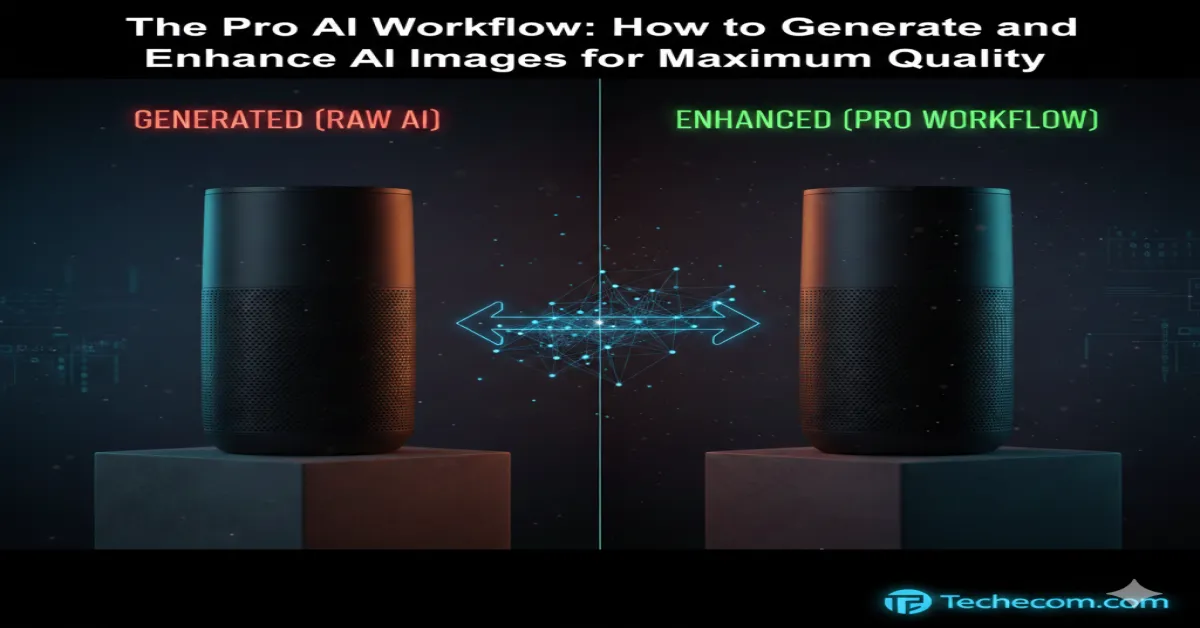
In 2026, the “Era of AI Novelty” has officially transitioned into a Reckoning for Quality. The days of winning customers with “cool” AI-generated visuals are over. Today’s consumers—especially the tech-native Gen Alpha and Gen Z—have developed a high sensitivity to what is now commonly called “AI Slop.” They can spot a generic, unedited DALL-E or Midjourney render instantly, and their reaction is often a loss of brand trust.
For high-stakes sellers on Shopify, Amazon, or TikTok Shop, “good enough” AI art is now a documented conversion killer. Recent 2026 marketplace reports show that over 55% of consumers trust a brand less when they encounter poorly executed or “plastic-looking” AI images. If your visuals lack tactile detail or suffer from “soft” low-resolution edges, you aren’t just losing a sale—you’re eroding your brand’s authority.
To remain competitive, industry leaders have moved beyond simple prompting. They now utilize a “Multi-Stage AI Pipeline.” This is a professional workflow where one AI model acts as the Creative Director and a second, specialized model acts as the Master Retoucher.
Why Your Current Workflow is Costing You Sales?
Most e-commerce entrepreneurs treat an AI prompt like a final product. However, standard generators are Generalists. They are brilliant at interpreting your words, but they lack the technical “vision” required for professional-grade assets. Common failure points in single-tool workflows include:
- Tactile Dissonance: Surfaces like leather, silk, or wood grain look unnaturally smooth (the “plastic” effect), failing to provide the sensory cues customers need to judge quality.
- Resolution Compression: Most standard outputs are capped at 72-96 DPI. On 2026 mobile Retina displays and 5K monitors, these images appear “muddy” or pixelated, signaling a lack of professionalism.
- Product Fit Uncertainty: Soft edges and “hallucinated” artifacts create visual noise that makes a customer question the actual build quality of the item.
By “chaining” your tools, you treat the initial AI generation as a Digital Negative. It is the raw material that must be “developed” through an enhancement pipeline before it is ever allowed to represent your brand.
The 2026 E-commerce Power Stack
In the “Era of Scrutiny,” your choice of tools is a direct reflection of your brand’s standards. To build a professional pipeline, you must separate your Generative Engine (the tool that creates the idea) from your Fidelity Engine (the tool that perfects the pixels).
Here is the definitive breakdown of the professional stack for 2026.
The Generative Engines (The Creative Brain)
Not all AI models are created equal. For e-commerce, we prioritize three specific models based on their 2026 performance benchmarks:
Flux 2 Max: The Photorealism King
- Best For: High-end product photography and model shots.
- The Edge: Developed by Black Forest Labs, Flux 2 Max has mastered “Specular Highlights”—the way light actually bounces off glass and metal. It avoids the “clay-like” look of older AI, making it the top choice for jewelry, electronics, and cosmetics.
Midjourney v7: The Aesthetic Architect
- Best For: Lifestyle hero banners and “vibe-centric” brand campaigns.
- The Edge: Midjourney remains the master of composition and color harmony. While it can be more “opinionated” than Flux, its Style Reference (–sref) feature is the best in the industry for keeping your entire store’s catalog visually consistent.
Ideogram 3.0: The Typography Specialist
- Best For: Social media quotes, infographic-style product slides, and labels.
- The Edge: Ideogram solved the “AI spelling bee” problem. It is currently the only model that can reliably render complex text and brand messaging within an image without a single typo.
2. The Fidelity Engines (The Master Retouchers)
Once you have your “Digital Negative” from a generator, you must run it through a specialized upscaler to remove the “AI sheen” and add tactile detail.
Magnific AI: The “Hallucination” Powerhouse
- The Workflow: Magnific doesn’t just enlarge; it re-imagines detail. It can add microscopic skin pores to a model or realistic thread-counts to a piece of clothing.
- Pro Tip: Use a “Creativity” setting of 2 or 3. Anything higher risks changing your product’s actual features; anything lower feels like a standard stretch.
Topaz Photo AI (Gigapixel 2026): The “Faithful” Standard
- The Workflow: Topaz is a production workhorse. It is a desktop-based tool that uses Autopilot to strip away noise and motion blur without changing the original art.
- Why Sellers Love It: It features specialized “Face Recovery” and “Text Preservation” models, ensuring your product labels and models look human, not haunted.
Claid.ai: The E-commerce Specialist
- The Workflow: Unlike the others, Claid is built specifically for marketplaces. It can upscale your image while simultaneously adjusting the lighting to match a specific “Amazon White” or “Shopify Clean” background.
Comparison: Which “Chain” Fits Your Business?
| If Your Goal Is… | Use This Generator… | Use This Enhancer… | Why? |
| Luxury Product Shots | Flux 2 Max | Magnific AI | Maximum texture and lighting realism. |
| Lifestyle & Fashion | Midjourney v7 | Topaz Photo AI | Cinematic “look” with preserved human features. |
| Quotes & Infographics | Ideogram 3.0 | LetsEnhance.io | Perfect text rendering with crisp 300 DPI edges. |
| Mass Cataloging | Gemini 3 Pro | Claid.ai | Fastest workflow for hundreds of SKUs. |
The 3-Step “Pro-Chain” Workflow
Understanding which tools to use is only half the battle. To reach the #1 spot in e-commerce visuals, you must master the hand-off between them. In 2026, the industry standard is the “Draft-Refine-Master” pipeline.
Here is exactly how to execute it for your store.
Step 1: The “Digital Negative” (Generation)
Your goal in the generator is composition and lighting, not final resolution.
- The Workflow: Use Flux 2 Max for products or Midjourney v7 for lifestyle. Generate at a standard 1024px or 1456px (aspect ratio dependent).
- The Secret Setting: Avoid “hyper-realistic” in your prompt. In 2026, that often triggers a “plastic” AI filter. Instead, use technical camera cues: “Shot on 85mm prime lens, f/1.8, natural studio lighting, RAW texture.”
- Expert Move: If you are using Midjourney, use the –style raw parameter. This bypasses the “beautification” algorithm and gives you a more grounded, honest image that upscalers can better “read.”
Step 2: Structural Inpainting (The Correction)
Before you upscale, you must fix the “AI Logic.” If your image has a floating shadow, a misspelled label, or a model with a distorted hand, you must fix it now.
- The Tool: Adobe Photoshop’s Generative Fill or Canva’s Magic Edit.
- Why it Matters: Upscalers are designed to enhance what is there. If you upscale a mistake, you are simply creating a high-resolution, sharp mistake that is 10x harder to fix later.
- The Move: Select the problem area and type a simple, 3-word corrective prompt (e.g., “clean leather texture”). Keep the structural integrity of the product intact.
Step 3: The Fidelity Enhancement (The Masterpiece)
This is where you turn a $5 render into a $5,000 ad asset. You will likely use Magnific AI or Topaz Bloom for this final stage.
The “High-Conversion” Settings for E-commerce:
| Setting | Recommended Value | Why? |
|---|
| :— | :— | :— |
| Creativity / Hallucination | 2 – 3 | Adds skin pores and fabric weave without changing the product’s shape. |
| Resemblance | 8 – 10 | Forces the AI to strictly follow your original “Digital Negative.” |
| HDR Slider | 1 – 2 | Subtle “pop” for lighting. Anything higher makes it look like a video game. |
| Engine Selection | “Sharpy” or “Fidelity” | Optimized for hard surfaces (metal, glass) and photography. |
The 2026 “Pro Hack”: The Dual-Pass Upscale
For “Hero” images (your homepage banner), don’t just upscale once.
- Do a 2x Upscale in Magnific to add “creative texture” (micro-details).
- Bring that result into Topaz Photo AI and run “Face Recovery” and “Denoise.” Topaz is better at “cleaning” the digital noise that creative upscalers like Magnific sometimes introduce. This “Double-Chain” creates a clean, hyper-sharp image that is indistinguishable from a professional studio shoot.
Part 4: The 2026 E-commerce Visual Quality Checklist
Before you hit “Publish” on a new product page or ad campaign, run your images through this 5-point professional inspection. In 2026, these are the non-negotiables that separate high-converting brands from “AI slop.”
The “Texture & Tactility” Test
- The Check: Zoom in to 200%. Can you see the specific “grain” of the material (e.g., the weave of the fabric, the pores in leather, the brushed texture of metal)?
- The Fix: If it looks like smooth plastic, your “Fidelity Engine” (Upscaler) settings are too low. Increase the Creativity/Hallucination slider in Magnific or use the “High Fidelity” model in Topaz.
The “Anatomy & Logic” Audit
- The Check: Look at the “details of connection.” Do the fingers have the right number of joints? Does the product shadow match the light source in the background? Are there any “floating” objects?
- The Fix: Use Inpainting (Adobe Firefly or Canva) to surgically fix these errors before the final upscale. Never expect an upscaler to fix a structural logic error.
The “Typography & Brand” Clarity
- The Check: If there is text on a label or in the background, is every letter sharp and legible? Is the spelling 100% correct?
- The Fix: For labels, it is often better to generate the product without text and add your high-res logo/labels in Canva or Photoshop afterward to ensure perfect brand integrity.
The “Color Space & White Balance” Verification
- The Check: Does the product color match your real-world inventory? (AI often oversaturates colors). Does the white background look “Amazon White” (Hex #FFFFFF) or is it a muddy grey?
- The Fix: Use a tool like Claid.ai or Lightroom AI to “Normalize” the white balance across your entire catalog for a consistent, professional storefront.
The “Mobile-First” Resolution Check
- The Check: Is the subject taking up at least 70-80% of the frame? On a mobile screen, small subjects get lost.
- The Fix: Use AI Outpainting to expand the background if needed, or simply crop the high-res upscaled version so the product is the undisputed hero of the shot.
Summary Checklist Table for Your Workflow
| Workflow Phase | Action Item | Pro Tool Recommendation |
| Draft | Generate composition & lighting | Flux 2 Max or Midjourney v7 |
| Clean | Fix hands, shadows, and glitches | Adobe Generative Fill |
| Refine | Add 4K textures and tactile detail | Magnific AI |
| Verify | Final check for “The Plastic Look” | Human Eye (Expert Review) |
| Deploy | Export as WebP for 2026 SEO speed | Squoosh.app or Cloudinary |
Conclusion & Actionable ROI
The Bottom Line: The transition from a single-tool user to a “Chain Strategist” is the fastest way to increase the perceived value of your Shopify or Amazon store. In 2026, customers don’t just buy products; they buy trust. High-fidelity, multi-layered AI imagery is the strongest trust signal you can send.
Final Thought for Techecom Readers:
Visual quality in 2026 isn’t a luxury—it’s your barrier to entry. By following this “Chain Strategy,” you aren’t just making “pretty pictures”; you are building a high-fidelity brand that customers feel safe buying from.
Ready to see the difference?
Take one of your existing product renders today. Run it through the 3-step pipeline above. Zoom in 400% on the textures. If you can see the “weave” in the fabric or the “grain” in the wood, you’ve just unlocked a #1 ranking visual strategy.
A: Paradoxically, high-quality images can help. By using a pro upscaler and saving as a WebP 2 or AVIF format, you get 4K clarity at a file size smaller than a standard blurry JPEG.
A: Yes. In 2026, tools like Claid.ai or PixelBin allow you to create “API Pipelines” that automatically generate, upscale, and background-remove your entire catalog using these exact settings.
A: If you are running paid ads, yes. A 1% increase in conversion rate from better ad creative will pay for the subscription in a single day. If you are on a budget, start with the free Upscayl desktop app.